
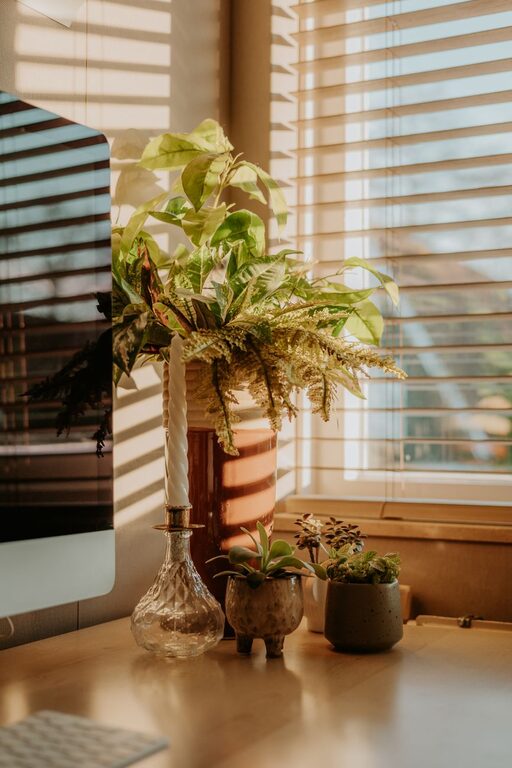
Creating a home office that feels cozy yet remains functional can greatly enhance your productivity and overall work experience. Whether you work remotely full-time or need a dedicated space for occasional tasks, designing a comfortable workspace tailored to your needs can make all the difference. In this blog post, we’ll walk through practical tips to help you set up a home office that supports focus and comfort.
Why a Cozy and Functional Home Office Matters
A well-designed home office promotes better concentration, reduces stress, and helps you maintain a healthy work-life balance. When your workspace feels inviting and suits your workflow, it’s easier to stay motivated and organized throughout the day. Let’s explore how to achieve this balance.
Choose the Right Location
Find a Quiet Spot
Select a space in your home that is as quiet and distraction-free as possible. This could be a spare room, a corner in your living room, or even a section of your bedroom. If you share your living space, consider noise levels and foot traffic to minimize interruptions.
Maximize Natural Light
Whenever possible, position your desk near a window. Natural light can boost mood and reduce eye strain. If natural light is limited, invest in adjustable lighting options that mimic daylight.
Invest in Ergonomic Furniture
Comfort is key when you spend hours working at a desk. Ergonomic furniture helps prevent discomfort and posture issues.
– Ergonomic Chair: Look for chairs that provide good lumbar support and adjustability in height and tilt.
– Adjustable Desk: Consider a desk that allows you to switch between sitting and standing positions.
– Monitor Stands: Position your computer screen at eye level to reduce neck strain.
Organize Your Space Efficiently
Prioritize Accessibility
Keep your most-used items within easy reach. Use desk organizers or drawer dividers to separate supplies like pens, notebooks, and chargers.
Use Vertical Storage
Shelving units or wall-mounted organizers free up desk space and keep important documents and reference materials close by.
Cable Management
Tidy cables with clips or sleeves to reduce clutter and hazards.
Add Cozy Elements
Textiles
Incorporate soft elements like a cozy rug, cushions, or a throw blanket. These can help create a warmer atmosphere.
Plants
Indoor plants can improve air quality and add a refreshing touch. Choose low-maintenance plants like succulents or snake plants.
Personal Touches
Decorate with items that inspire you, such as artwork, photos, or motivational quotes.
Lighting Tips for Comfort and Efficiency
Proper lighting reduces eye strain and enhances focus.
– Use layered lighting with a combination of overhead lights, task lamps, and ambient lighting.
– Choose bulbs that emit a soft white light (around 4000K) to avoid harshness.
– Position lamps to reduce glare on screens.
Minimize Distractions
Try to keep your workspace as dedicated to work as possible. Avoid placing TVs or gaming consoles nearby. Noise-canceling headphones can help if background noise is unavoidable.
Maintain a Routine for Cleanliness and Order
Set aside a few minutes at the end of each day to tidy your workspace. Clutter can negatively impact productivity and mood.
Use Technology Wisely
Select devices and apps that enhance your workflow without overwhelming you.
– Keep software updated to improve performance.
– Use productivity tools for task management and communication but avoid overuse.
Balance Work and Breaks
Arrange your desk area so you can take short stretch breaks comfortably. A small space for relaxation nearby can encourage stepping away to recharge during the day.
—
Designing a cozy and functional home office doesn’t require a large budget or extensive remodeling. Thoughtful organization, comfortable furniture, and personal touches can transform any space into a productive and pleasant work environment. Start small, prioritize your needs, and enjoy the benefits of working in a space designed just for you.